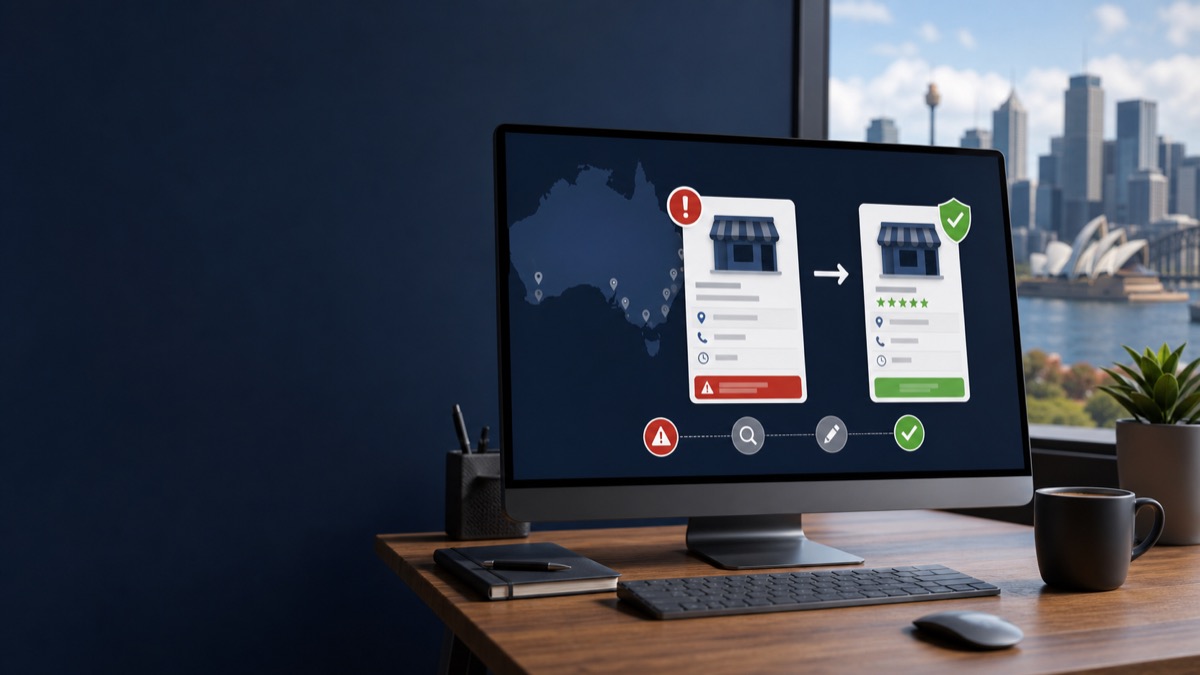
A Google Business Profile suspended after name change edits usually means Google could not match the new name to the real-world business, or the edit looked like keywords added to the name. Fix it by making sure the new name is on your registration, signage and website first, then appeal with documents that show that exact name.
The order matters more than the wording. A genuine rebrand can look like spam if the profile changes before anything else does. This guide covers what Google allows in a name, when a rebrand counts as a new business, and how to prove the new name.
Why is my Google Business Profile suspended after name change edits?
Because every edit is checked, and a name is one of the fields Google watches most closely. Google says "Edits that you make to your verified Business Profile are reviewed to ensure they follow our guidelines," and that an edit may be "Not approved" because "Google might not approve changes if it can't confirm its accuracy." [Source: Google Business Profile Help, Understand what happens to your Business Profile edits, 2026]
A rejected edit and a suspension are different outcomes. A rejected edit leaves the profile live with the old name. A suspension takes the profile down. In our experience, a name change leads to a suspension when one of these is true:
- The new name includes extra words. A city, a service, or a tagline added to the name breaks Google's naming rules.
- Nothing else shows the new name yet. The profile changed, but the website, signage and registration still show the old one.
- Several key fields changed at once. A new name, phone number and website on the same day can look like a hijacked listing.
- The change is too big for a rebrand. Google treats some name changes as a new business, not an edit to the old one.
Google's page on suspended profiles also says it may suspend profiles "that don't follow our guidelines," which is why the fix starts with the name rules, not the appeal form. If the cause is not clear from your notice, our guide on what to do when your profile is suspended is a good first step.
What does Google say a business name must be?
Your real-world name, and nothing else. Google says "Your name should reflect your business's real-world name, as used consistently on your storefront, website, stationery, and as known to customers." [Source: Google Business Profile Help, Guidelines for representing your business on Google, 2026]
It is direct about the risk: "Including unnecessary information in your business name isn't permitted, and could result in the suspension of your Business Profile." Address, hours and category belong in their own fields.
Google gives examples for each type of extra information. These come straight from its guidelines page:
| What Google does not allow in the name | Not acceptable (Google's example) | Acceptable (Google's example) |
|---|---|---|
| Marketing taglines | TD Bank, America's Most Convenient Bank | TD Bank |
| Store codes | The UPS Store - 2872 | The UPS Store |
| Trademark or registered signs | Burger King® | Burger King |
| Fully capitalized words | SUBWAY | Subway, KFC, IHOP, JCPenney |
| Business hours information | Regal Pizzeria Open 24 hours | Regal Pizzeria |
| Phone numbers or website URLs | Airport Direct 1-888-557-8953 | Airport Direct, 1-800-Got-Junk |
| Irrelevant legal terms | Re/Max, LLC | Re/Max |
| Service or product information | Midas Auto Service Experts | Midas, Advance Auto Parts |
| Location information | Holiday Inn (I-93 at Exit 2) | Holiday Inn Salem |
| Containment information | Geek Squad (inside Best Buy) | Geek Squad |
Two details are easy to miss. First, short forms and initials are fine when that is the real name, which is why KFC and IHOP are listed as acceptable. Second, special characters and legal terms are not banned outright. Google says "To include special characters or legal terms in your Business Profile name, you must provide real-world proof (e.g. signage, business cards, invoices) that consistently displays those elements as part of your business name." So "LLC" in the profile name needs to be on your signage and invoices too, not only on your registration.
Is your name change a rebrand or keyword stuffing?
It depends on what changed. Google's guidelines have a section on rebranding, and it draws a clear line. A profile "may be eligible for rebranding (defined as an eligible name change without creating a new Business Profile) if you make a minor name change, in which the proper nouns and services described in the business name remain unchanged and the business category remains unchanged." [Source: Google Business Profile Help, Guidelines for representing your business on Google, 2026]
Google adds that "You may also be eligible for rebranding if you have multiple locations and the business name changes."
That gives you three cases:
- A minor rebrand. Proper nouns, services and category stay the same. You edit the name on the existing profile.
- A full name change. The name changes beyond that. Google says it is "considered a new business," and "You must mark the existing Business Profile as closed and then create a new Business Profile with your new business name."
- Keyword stuffing. The business name did not really change at all. Words were added to the profile to rank, such as a city or a service. This is the "unnecessary information" Google warns can lead to suspension.
The quick test for keyword stuffing: would a customer see the new name on your sign, your invoice and your website? If the answer is no, it is not your name yet.
Be honest about the second case. Editing a completely new name onto an old profile keeps the old reviews, but it is not what Google's rebranding rules allow. A suspension that follows is hard to appeal, because the edit itself was outside the rules. Note too that "There should only be one profile per business." If you create the new profile without closing the old one, you also risk a duplicate profile suspension.
Why can a name change trigger reverification?
Because Google treats the name as core business information. Its edit guide says "Enter your business name exactly as it appears on your real world business signage, stationery, and other branding. If you change your business name after it's verified, you might need to verify your business again." [Source: Google Business Profile Help, Edit your Business Profile, 2026]
So a reverification request after a rename is not a punishment. It is Google asking you to prove the business again under the new name. Treat it the same way you would a first verification. The new name should be visible on signage, and anything you show on camera should match what you typed into the profile.
Reviews of edits also take time. Google says "Edits usually take up to 10 minutes to review, but sometimes it can take up to 30 days." [Source: Google Business Profile Help, Understand what happens to your Business Profile edits, 2026] While a name edit shows as "Pending," do not keep changing it. Each new version restarts the question of which name is real.
If the reverification goes wrong on video, our guide to failed video verification covers the usual reasons.
In what order should you update your registration, signage, website and profile?
The profile goes last. Google's first basic guideline is to "Represent your business as it's consistently represented and recognized in the real world across signage, stationery, and other branding." [Source: Google Business Profile Help, Guidelines for representing your business on Google, 2026] A reviewer checks the new name against the outside world. If the outside world still shows the old name, the edit has nothing to stand on.
Use this order:
- Registration first. Update the legal name or trading name with your state, provincial or national registry, so you have an official document in the new name.
- Signage next. Put up permanent signage with the new name. Google says businesses showing an address "should maintain permanent fixed signage of their business name at the address."
- Website and stationery. Change the name on your website, invoices, business cards and email signatures.
- Utility and tax accounts. Update the name on at least one utility bill and your tax records. These become evidence later.
- The profile last. Change the name alone. Leave the phone number, website and category for a separate edit after the name is accepted.
The fifth step is where most trouble starts. Changing everything on the same day is efficient for you but looks unusual from the outside. It is the same pattern we cover in our guide to suspicious-activity suspensions.
Planning a rebrand and not suspended yet? A profile audit for suspension risk before you change the name can save you the appeal.
How do you appeal a name change suspension with proof of the new name?
Fix the name first, then send proof that shows it exactly. Google's evidence list for appeals includes "Official business registration," "A business license," "Tax certificates," and "Utility bills for the business," and its tip is to "check that the business name and address match the profile you want to make an appeal for." [Source: Google Business Profile Help, Fix suspended or disabled profiles, 2026]
Before you open the appeals tool:
- Make the profile name match your documents. Remove any added keywords, cities or taglines.
- Collect documents in the new name. Registration or license, a utility bill, and photos of the new signage.
- Show the link between old and new. If you can, include a document that shows the name change itself, such as an amended registration. This helps a reviewer see that the same business is behind both names.
- Keep it short. One sentence on what the business is, one on what changed and when, and one line per file on what it proves.
Google says "Appeals can only be submitted once." So gather everything before you submit. Evidence in the tool is optional, but a name-change appeal without a document in the new name gives the reviewer nothing to confirm. Our reinstatement evidence checklist lists what to gather. If the appeal is denied, our guide to an additional review after a denied appeal covers what Google allows next.
What if Google only rejected the name edit?
Then you are not appealing a suspension at all. Google's appeals page lists "Rejected business information edit (name, category, address, phone, website)" as its own appeal type. [Source: Google Business Profile Help, Appeal Business Profile content & profile restrictions, 2026]
Where you file depends on your location. For businesses in the UK or EEA, Google routes rejected edits through the appeals tool. For businesses outside the UK and EEA, Google says "you must contact us to appeal" a rejected business information edit, using its contact form.
The same evidence applies. Show the new name on registration, signage and your website. If the profile was suspended rather than the edit rejected, Google says "If your Business Profile is suspended or disabled, it must be reinstated before you can appeal any content decisions." Deal with the suspension first.
How GBP Case helps with a suspension after a name change
We start with the edit history. The timing of the rename, what else changed that day, and whether the new name appears anywhere outside Google usually explain the suspension.
The free case review checks whether your change counts as a rebrand or a new business under Google's rules, whether the name has words Google does not allow, and whether your documents show the new name exactly. If they do not, we tell you what to fix before anything is submitted. You can run the qualification tool first, or read anonymous case studies with redacted Google emails.
We do not take cases for virtual offices, PO boxes or lead-generation listings, because Google's guidelines do not allow them. We never promise approval, because Google makes every decision. More on the process is on our suspension help page and our reinstatement page.
Frequently asked questions
Can I keep my reviews if I change my business name?
Only if the change fits Google's rebranding rules. Google says a profile may be eligible for rebranding when the change is minor and "the proper nouns and services described in the business name remain unchanged and the business category remains unchanged." In that case you edit the name on the existing profile, and the profile, with its reviews, stays. If the name change goes beyond that, Google says it is "considered a new business," and you mark the old profile as closed and create a new one. Editing a completely new name onto the old profile to keep reviews is outside those rules.
Can I add my city or main service to my business name?
Not unless it is part of your real-world name. Google says "Including unnecessary information in your business name isn't permitted, and could result in the suspension of your Business Profile." Its own examples show that "Midas Auto Service Experts" is not acceptable and "Midas" is. Location details like "Holiday Inn (I-93 at Exit 2)" are also out. If the city or service genuinely appears in your registered name, on your signage and on your website, it can stay. If you added it only to rank in search, remove it before you appeal.
Do I need to verify again after changing my business name?
You might. Google's edit guide says "If you change your business name after it's verified, you might need to verify your business again." It does not say this happens every time. If Google asks, treat it like a first verification. Make sure the new name is on permanent signage and on your documents before you start, because the reviewer will compare what they see with what is on the profile. Avoid making other edits while verification is pending, so there is only one change for Google to confirm.
Should I include LLC or Inc in my profile name?
Usually not. Google lists "irrelevant legal terms (e.g. LLC, LTD, INC)" as something the name must not include, with "Re/Max, LLC" as a not-acceptable example. There is an exception. Google says that to include legal terms, "you must provide real-world proof (e.g. signage, business cards, invoices) that consistently displays those elements as part of your business name." So "LLC" on your registration alone is not enough. It has to appear on your signage and your everyday branding too. If it does not, leave it out of the profile name.
Prove the new name before Google has to ask
A name change can be recovered when the business is real and the new name is real. Update the world first, change the profile last, and appeal with documents that show the exact name on the listing.
If you want a second pair of eyes before you edit or appeal, start with a free case review. New inquiries get a reply within one hour.
This guide is general information, not a promise of reinstatement. Google makes the final decision on every profile and appeal. Last updated: November 2026.
Need Help With Your Suspension?
Start with a free consultation and clear case pricing before you decide. We review the issue and explain the recovery path.
Get my free case review